




























What is BuildNow GG?
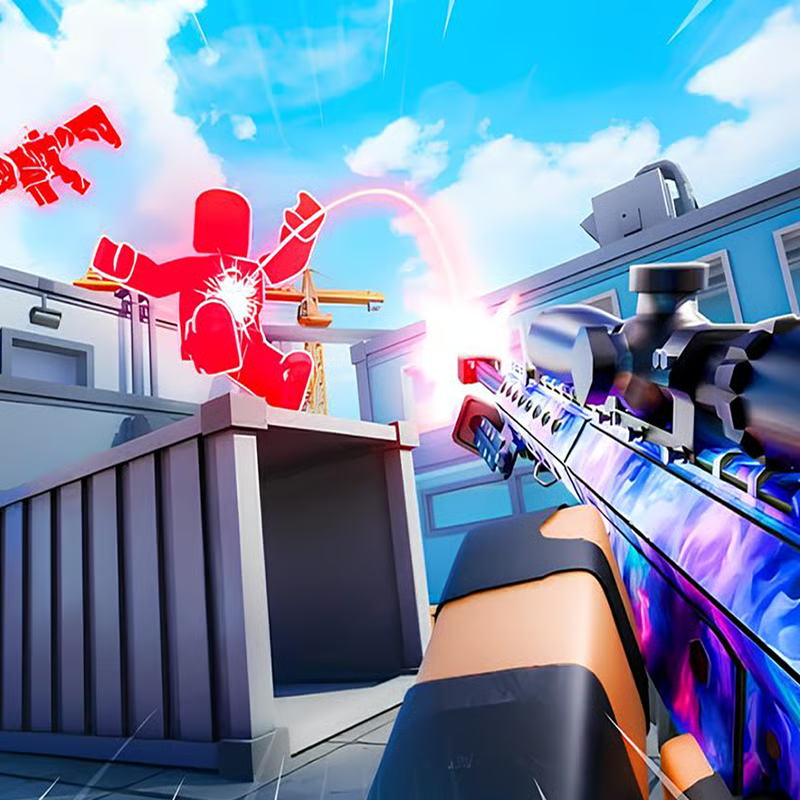
BuildNow GG by BattleLab is a free online build-and-shoot game. You place walls, floors, ramps and roofs in real time, edit openings to shoot through, and fight in fast third-person duels. It is often described as an online build-and-shoot game featuring various game modes, weapons, and maps, with offline training to learn the basics. CrazyGames lists five core modes, while the mobile release adds Solo and Duo options for supported modes.
Controls: building, editing and shooting
Keybinds vary slightly between versions, so check the in-game key mapping before a match. Two commonly documented layouts are:
- Browser layout on CrazyGames: Q = wall, C = floor, V = ramp, Left Shift = roof, F = edit / apply edit, Right-click = reset edit, Scroll wheel down = fast edit reset.
- Z/X/C/V layout: Use Z to build a wall, X to build a floor, C to build a ramp, and V to build a roof, with F to edit or apply an edit and R to rotate the piece. Venko Games and the BuildNow GG tips guide both document this Z/X/C/V + F setup as the default.
If your wall key feels wrong, you are probably switching between those two layouts. Open Settings > Key mapping and keep one set for at least a week to build muscle memory.
| Action | Common keys | Note |
|---|---|---|
| Move / Jump / Crouch | WASD, Space, Ctrl | Keep movement hand on WASD while aiming |
| Build wall / floor / ramp / roof | Z / X / C / V or Q / C / V / Shift | Varies by version; confirm in settings |
| Edit / Apply / Reset | F / F / Right-click or Left-click | Reset, then move again instead of staring at the piece |
| Fire / Aim / Reload | Left-click / Right-click / R | Rotate build is also R in some layouts |
| Weapons / Pickaxe | 1-5 / Z or G | Pickaxe key differs; check slots screen |
| Chat / Scoreboard / Emotes | P / M or N / B | Scoreboard key varies by portal |
On mobile, use the BuildNow GG app button layout. The Google Play listing notes a fully customizable interface where you can move and resize buttons, plus gyroscope support on newer versions.
Which mode should you play?
Start with practice modes, then move to live fights:
- Freebuild: Sandbox island for PvP and practice without limits. Best for learning 90s, edits and new keybinds.
- Aim Training: Static and moving targets offline. Best for warming up aim before ranked or 1v1s.
- V-Arena: 1v1 battle or 6-player free-for-all, last man standing wins. Best for standard duels.
- BoxFight: 1v1 or 4-player free-for-all in tight boxes, last man standing wins. Best for close-range edits and shotgun fights.
- Zone Wars: 6-player free-for-all in a random shrinking zone. Best for rotation, high-ground takes and endgame practice.
Other portals also list Realistic 1v1, Duo BoxFight and Late Game Zone Wars variants. Names rotate with updates, as seen on BuildNow GG fan portals and TopGames, so pick by player count and goal: practice alone, duel one opponent, or survive a small lobby.
How to play 1v1 with friends in a private party
You can start a private match with friends in party mode instead of queuing with random players. CrazyGames states you can host up to six players in a private game.
- Open the mode select and look for Party or Private Match.
- Create a lobby and share the room code or invite link with friends.
- Choose V-Arena for 1v1s or BoxFight for 2v2-style practice, then start when everyone joins.
Newer mobile patch notes mention larger Free Mode parties up to 16 players and some Zone Wars parties up to 12 players. Limits change by update, so follow what the lobby screen shows if it differs from older guides.
Best settings for smooth FPS and aim
There is no single best setup, but these starting points help low-end PC and mobile players reduce lag:
- Sensitivity: Try 3-6 in-game, starting around 3. Raise only if turning feels slow, and keep one value for a week. The tips guide lists 3-6 as a common range.
- FPS cap: Enable the unlimited FPS option for maximum smoothness if your device handles it. Lower visual quality, HDR and render distance first if fights stutter.
- FOV: 90-100 degrees gives more peripheral awareness without making targets too small.
- Graphics: Choose lower graphics settings for the most consistent frame rates, especially on school Chromebooks or older phones.
- Mobile: Enlarge build and edit buttons, move jump and fire where thumbs rest, and test gyroscope aiming slowly before using it in live fights.
If delay remains, close other tabs, use a wired connection or sit closer to Wi-Fi, and practice in Aim Training or Freebuild rather than full Zone Wars lobbies.
Best weapons: shotgun vs rifle vs sniper
The standard loadout features a pistol, a machine gun / assault rifle, a sniper rifle, a shotgun, and a pickaxe, with unlimited ammo and realistic ballistics. Switch by distance instead of sticking to one gun:
- Shotgun: Your best friend in box fights and close pushes. Shoot after an edit peek, then close the window.
- Assault rifle / Machine gun: Consistent pressure at mid-range. Use after a ramp rush or from high ground.
- Sniper rifle: Best for holding range or punishing peeks. Aim before you open the edit so exposure is short.
- Pistol: Safe backup when other guns are reloading or you need a quick tag.
- Pickaxe: Break enemy builds or harvest your own for resets; do not take gunfights with it out.
How to get better fast: simple drills
Learn one build at a time. Aim first, then add building once shots feel natural.
- The 90: Place a wall, jump, place a ramp, then turn 90 degrees and repeat. Practice slowly in Freebuild until the motion is memorized, then add speed to take high ground.
- Ramp rush: Sprint forward dropping ramps under you to close distance while staying elevated. Keep a wall ready in case your ramp is destroyed.
- Box + peek: Build four walls with a floor above, edit a small window, shoot, then reset. Open only enough space for your crosshair.
- Static then moving aim: Start on static targets for crosshair placement, then track moving targets with small mouse moves while strafing.
- Piece control basics: Replace an opponent's floor or add a roof piece to limit their edits, then force a box fight on your terms. Try right-hand peeks from cover, since the third-person camera exposes less of your body from that side.
A short routine works well: 5 minutes of 90s, 5 minutes of box peeks and resets, then 2-3 Aim Training runs before live 1v1s. In Zone Wars, rotate early, use one wall and ramp for crossings to save materials, and box up for edits in the final circle.
Can you play free in browser, unblocked, or on mobile?
Yes. BuildNow GG is free in the browser with no download needed for quick sessions, plus offline training mode to practice building and shooting without live pressure. Browser portals describe it as free browser play with offline aim training and no download required.
It is also available as BuildNow GG - 1v1 Epic Battles on Android, with an iOS release listed on app stores. School or work filters vary, so there is no guaranteed unblocked method — use the official browser or store app where your network allows it.
BuildNow GG or 1v1.lol?
CrazyGames lists the classic 1v1.LOL as closely related, and players often compare the two for browser build practice. Stay in BuildNow GG if you want five modes in one place — Freebuild, V-Arena, BoxFight, Zone Wars and Aim Training — plus private parties and offline training. Try 1v1.lol if you want a lighter practice tab. Core skills transfer between them: wall, ramp, floor placement and quick edits.
FAQ
Is BuildNow GG free?
Yes, browser play is free, with optional in-app purchases and ads in the mobile app. Skins are cosmetic only. There are no active redeem codes at the time sources were checked — only expired codes — so avoid sites promising working hacks.
Why do controls show Q or Z for wall?
Different portals and updates show different defaults. Keep the Z/X/C/V/F set if you follow most guides, or remap to Q if that matches your lobby, then practice edits before changing again.
Comments(4)
this game is fortnite. bro make ur own game
it loads
at what percent mine looks pretty fine
why isnt it loading
idk ;(