



















Fortzone Battle Royale: browser battle royale at a glance
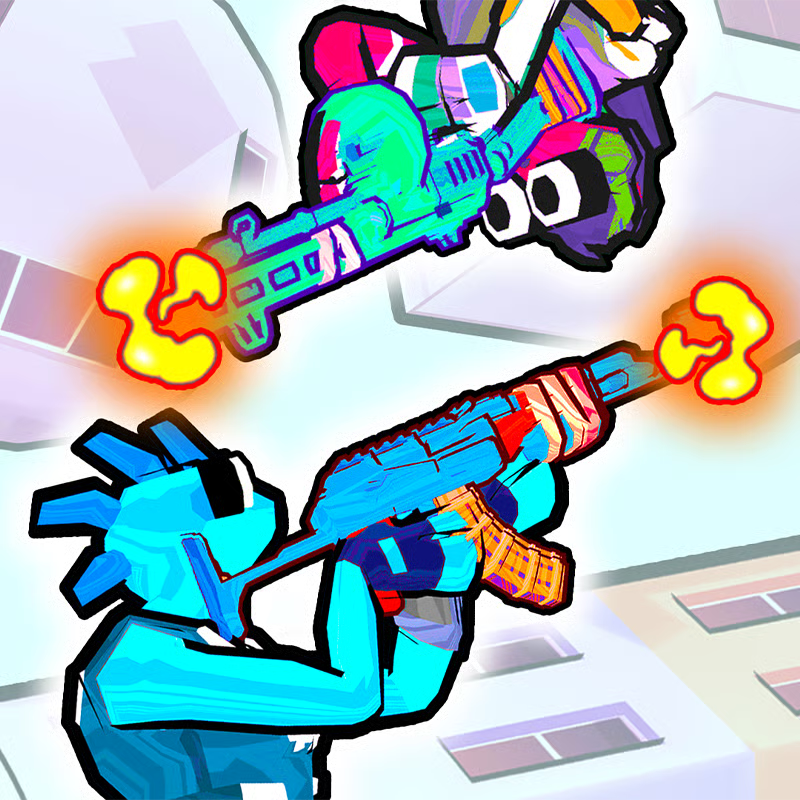
Fortzone Battle Royale is a free, browser-based third-person survival shooter. You drop from a flying bus with only a pickaxe, loot weapons and supplies, survive a shrinking storm, and try to be the last player or team standing. Matches combine landing choice, looting, building fortifications, destructible cover, vehicles, and level-based mode unlocks.
No download is needed. It runs in a modern browser on desktop, laptop, Chromebook, tablet, and mobile browsers, which is why many players look for it as an unblocked, Fortnite-style option for school or office networks.
PC controls to learn first
On desktop, keyboard and mouse give the most precise building and shooting control. If an input looks different in your build, use the in-game menu as the final authority:
- Move: WASD to move, Space to jump, C to crouch
- Shoot and aim: Left mouse button to shoot, right mouse button to aim, R to reload
- Items: Keys 1 to 6 to select an item or weapon, F to use or pick up an item
- Map and menus: M to open the map, Tab for pause menu, T for chat
- Vehicles: drag the mouse to steer a vehicle, V to exit the vehicle
Practice swapping weapons with 1 to 6, reloading behind cover with R, and checking the map with M. Mobile and tablet players use on-screen touch controls instead.
Where to land and what to loot first
Your match starts midair. Choose a landing spot before you jump, because you begin with only a basic pickaxe and are vulnerable until you find a gun.
- New players: land near the edge of a built-up area instead of the busiest landmark. You get safer looting time and fewer instant fights.
- Experienced players: buildings and elevated structures on stilts often hold stronger rewards, but expect heavy early competition there.
- Terrain matters: flatland is fast to cross, thick bushes can hide movement, and water slows you down, so avoid landing where you must wade far while unarmed.
Build a usable loadout rather than grabbing everything. A practical early setup is one dependable close-range weapon, one weapon for longer sight lines, plus healing or utility instead of filling every slot with similar guns. Replace the pickaxe with ranged weapons as soon as possible, search structures and defeated opponents for upgrades, and keep collecting resources for building.
Surviving the shrinking storm and rotating safely
The storm steadily shrinks the playable area and damages anyone caught outside. Fortzone maps include forests, rivers, abandoned structures, and open ground, so late rotations can get dangerous.
- Rotate early: check the map after looting and move while you still have route choices.
- Avoid late crossings: open fields, rivers, and enemy-held buildings are much harder to cross when you are forced to run.
- Hold cover in the endgame: near the final circles, check your cover, your next safe position, and whether another player can attack while you focus on one target before you fire.
- Do not wait for the storm: leaving late often means taking storm damage plus walking into players who already hold shelter.
Building, destructible cover, traps, and vehicles
Building and destruction separate Fortzone from simple arena shooters. Gather resources such as wood and metal, then build walls, ramps, or towers for cover, height, or a safer angle.
- Use natural cover first: terrain, buildings, and solid objects hide your position better than hurried construction. Build when you need immediate protection, not after every shot.
- Break cover to escape: much of the environment is destructible, so smash through obstacles to open a route or remove an opponent's cover.
- Use traps carefully: traps are lootable placeable items for floors, walls, or ceilings inside structures. They suit area control and ambushes rather than open fights.
- Treat vehicles as noisy rotation tools: a vehicle solves a distance problem fast and helps squads reposition, but engine noise and speed reveal your direction. Leave the vehicle before a final approach when you want stealth and precise positioning.
Game modes: Single, Team, Royale Duel, and Random
Fortzone uses progressive unlocks, so you do not get every mode on the first match:
- Single Battle Royale: available from the start, classic solo last-player-standing
- Team Battle Royale: unlocks at Level 4, squad-based survival with friends
- Royale Duel: unlocks at Level 6, focused 1v1-style showdown
- Random Mode: drops you into any mode you have already unlocked
Earn levels by completing missions, surviving longer, and eliminating opponents. Solo matches are the way to reach Level 4 and Level 6. For team play, share your lobby or player ID with friends and coordinate roles: loot together early, share healing and better weapons, rotate as a group, and avoid splitting up across the storm line. Thresholds and availability can change between builds.
Playing unblocked on Chromebook, mobile, and browser
Fortzone Battle Royale is designed as a free HTML5 browser game with no installation step. Open it in a modern browser such as Chrome, Edge, Firefox, or Safari, wait for the game frame to load, then follow the in-game prompts. Many school and office networks allow browser games, so players search for it as unblocked, but access still depends on the local network.
- Chromebook and laptop: a stable connection and up-to-date browser usually give the smoothest result. PC browsers generally give the best building and aiming experience.
- Mobile and tablet: playable through the mobile browser on iPhone, iPad, and Android without a separate app in most builds.
- If it will not load: refresh once, let assets finish loading, close heavy tabs, and check your connection before retrying. Performance varies by device and network.
Is Fortzone Battle Royale like Fortnite?
Fortzone is often described as Fortnite-inspired because it has a flying-bus drop, pickaxe harvesting, building, storm circles, and last-player-standing combat in a cartoon-style world. The main difference is access: Fortnite is a large installed client, while Fortzone runs directly in the browser with no download in most listings.
Expect simpler systems, shorter setup, and browser performance rather than full Fortnite content, seasons, or console features. If you want quick building battles in a browser, start with Single mode to learn loot and rotation, then unlock Team at Level 4 for squads and Royale Duel at Level 6 for duels.
Comments(4)
i wonder what fortnight is?
very fun game just low quality
I don't even know what this game even is I just started playing it because I got an easy hub and I don't even know what this game is
GOOD