











































What is Funny Shooter - Destroy All?
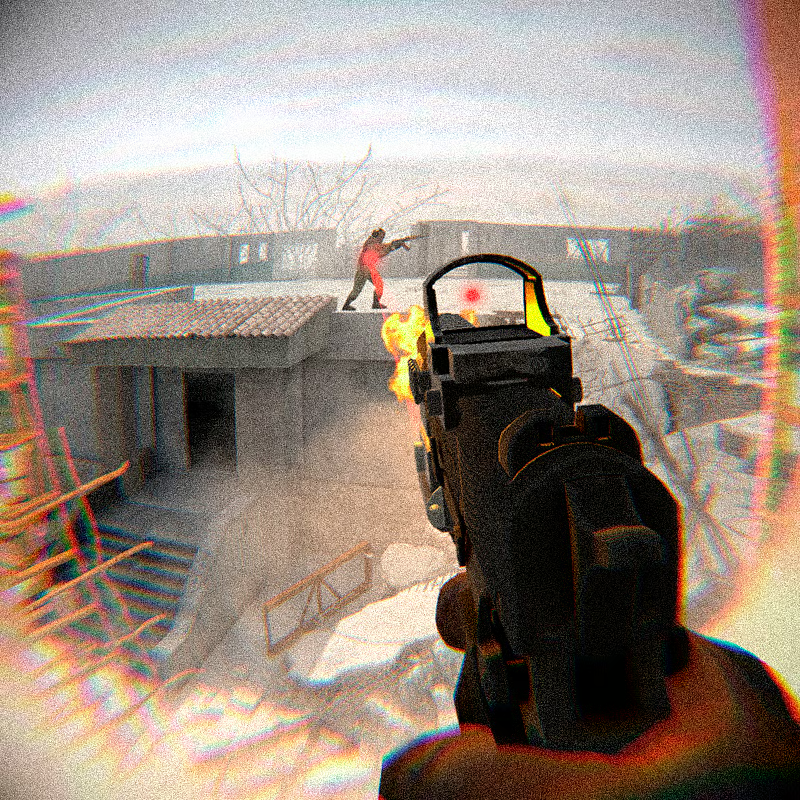
Funny Shooter - Destroy All is a browser first-person shooter by GoGoMan. You fight alone against waves of orange human-like enemies that vary in size and ability. The goal is simple: eliminate every hostile in the level and survive grenades, pitchforks, clubs, axes, chainsaws and gunfire.
It is a fast arena-style session game with 18 weapons, quick movement and constant close- and long-range danger. There is no long storyline to follow, which makes it easy to start for short bursts.
PC controls
This game is built for keyboard and mouse. Learn these keys first and your first run will go much better:
| Action | Key |
|---|---|
| Look around / aim | Move mouse |
| Move | WASD |
| Run | Hold Shift |
| Jump | Space |
| Shoot | Left-click |
| Aim | Right-click, hold for precise aim |
| Switch weapon | Mouse wheel or 1-7 hotkeys |
| Reload | R |
| Throw grenade | G |
| Knife attack 1 / 2 | F / Q |
| Inspect weapon | T |
| Remove weapon | E |
Use Shift to create distance when melee enemies rush you, and jump to change position or dodge thrown objects. Right-click aiming helps with small or distant targets. Touch play on mobile and tablet is listed by some portals, but control layout can vary, so a desktop or Chromebook with keyboard and mouse is the most reliable way to play.
Weapons: which to use and how to switch fast
The game lists 18 available weapons. Published descriptions group them as pistols, machine guns, grenade launcher, bazooka, plus grenades and knife attacks. Ammunition is listed as unlimited, so the choice is about range and crowd size rather than saving bullets.
- Pistols: Good backup for accurate shots and finishing weak enemies. Use for easy kills and distant single targets.
- Machine guns: Best for sustained fire and clearing groups at mid-range. Good when several enemies advance together.
- Grenade launcher and bazooka: Use for dense clusters and tough giants. Explosive splash clears space when you are about to be surrounded.
- Grenade, key G: Useful to throw into groups or choke points before pushing forward.
- Knife, keys F and Q: Emergency close-range option when an enemy is right next to you and reloading would take too long.
Switch with the mouse wheel for next or previous weapon, or press 1-7 to jump directly to the weapon you want. Practice that switch before you need it: shoot a group with a machine gun, then change to the bazooka only when a cluster forms or a giant pushes in. Reload with R before starting the next fight, not in the open. Some portals note that most weapons are free while others are unlocked by rewarded ad and may only last for a short time, so your available set can depend on the version you play.
Levels and enemies: what to kill first
Portals describe several levels where you pass only if you destroy all hostiles in the level. One detailed listing puts the target at 30 armored enemies in the level, including small fast enemies and giants that take sustained fire.
Enemy attacks fall into two groups:
- Ranged: Grenades, pitchforks and firearms. Watch the throw animation and strafe early.
- Melee: Clubs, axes, chainsaws and similar close weapons. Keep distance and do not let them circle behind you.
For survival, prioritize high-risk throwers and heavy melee carriers first, because they can catch you off guard and deal heavy damage. Keep moving, circle the area instead of backing into a corner, and check behind you often since enemies can come from several sides. Giants are slow but durable, so give them heavy weapons and steady fire while you keep smaller rushers away with machine-gun bursts.
Does progress save? Funny Shooter - Destroy All vs Funny Shooter 2
Destroy All is session-based. Each run is self-contained and progress is not saved, so every time you start you begin fresh and your result depends on that session. This is normal for this title, not a bug. If you close the browser, expect to restart the level.
Funny Shooter 2 is a separate sequel and works differently:
- Destroy All: Basic levels, simple orange enemies, pick-up-and-play sessions with no persistent upgrades.
- Funny Shooter 2: Added progression with a shop for weapons, attachments and customizations, upgrades, achievements and gold rewards, new enemy types, more levels and bosses, and endless play.
If you want long-term unlocks and loadout building, play the sequel. If you want a quick no-grind shooting session, stay with Destroy All.
Can you play unblocked on Chromebook or school browser?
Yes, in most cases. The game is an HTML5 Unity WebGL title that runs directly in a modern browser with no download or install required. Portals list support for desktop, mobile and tablet where WebGL is enabled.
For Chromebook and school computers:
- Use an up-to-date Chrome, Edge, Firefox or Safari with WebGL enabled.
- Play where browser games are allowed; school filters vary, so unblocked access depends on your network.
- Use a physical keyboard and mouse. A Chromebook keyboard works well, while touch controls are less precise for this fast FPS.
- Give the game frame time to load before clicking around in the page.
Fix lag or loading problems
Loading pauses and frame drops are common WebGL issues on low-end PCs and Chromebooks. Try these broadly supported steps:
- Refresh the page if the browser pauses while assets load, then wait for the game frame to finish.
- Update your browser and restart it.
- Turn on hardware acceleration in browser settings so WebGL can use the GPU.
- Close extra tabs and pause downloads, video calls or other heavy pages.
- Keep the game tab focused and avoid switching tabs during loading.
Results vary by device. If one browser still stutters, try another modern browser with WebGL support.
Quick beginner checklist
- Start with pistols or machine guns to learn enemy speed, then add heavy weapons for groups.
- Keep strafing and jumping; standing still invites grenades and melee hits.
- Kill grenade throwers and chainsaw or axe carriers first.
- Switch with 1-7, reload behind cover, and save grenades and bazooka rounds for clusters.
- Treat each run as fresh: there is no save to protect.
Comments
No comments yet. Be the first to comment!